
Types of Nail Drills Explained: Formats, Power Options, Motors, and Applications
Compare nail drill formats, power options, motors, and applications before choosing a model.
Desktop, portable controller, or pen-style—which type of nail drill fits the product line you are planning? The quickest way to decide is to picture the working setup first: Will the machine stay at one table, move between locations, or serve as a compact all-in-one option? From there, compare its power arrangement and motor design.
These labels can overlap. One machine may be portable, rechargeable, and brushless at the same time. For distributors, private-label buyers, salon groups, and training schools, the aim is not to find one universally “best” type. It is to identify the configuration that fits the intended setting and then confirm the exact model specification.
The sections below explain not only how the categories are defined, but also how each choice changes setup, mobility, daily handling, and purchasing requirements.
Start with the Physical Format
The physical format determines how the machine sits at a workstation, where the controls are located, and how easily the unit can be moved. Most product comparisons begin with three formats.
Desktop Nail Drills
A desktop nail drill normally has a separate control unit connected to a handpiece. During use, the controller stays on the work surface while the operator handles the handpiece. This makes the controls easy to locate and gives the handpiece a consistent home at a dedicated station.
This format is most practical when the machine will be used repeatedly at the same table, such as in a salon or training room. Its main trade-off is mobility: the buyer needs enough surface space for the controller, a suitable electrical connection, and a plan for routing and storing the handpiece cable. Moving the full setup between locations is less convenient than carrying a compact controller or pen-style unit.

JMD-417 desktop nail drill in a professional salon workstation
Portable Controller-Based Nail Drills
A portable controller-based model still uses a separate handpiece, but the controller is compact enough to carry or reposition. The operator keeps the familiar separation between handpiece and controls while gaining more flexibility to move the equipment between stations, demonstrations, or service locations.
The practical difference is that the complete kit still includes more than one component: controller, handpiece, cable, and usually charging or power accessories. Buyers should consider how the set will be carried and stored, not just the controller’s size. Portable also does not automatically mean cordless; models may be rechargeable, electrically powered, or support both arrangements.
Pen-Style Nail Drills
A pen-style nail drill places more of the control and drive arrangement into a slim handheld body. With fewer separate desktop components, it is easier to store, display, and include in a compact product offer.
In use, the controls, charging connection, and working body are concentrated in the same product. This makes the actual control placement and accessory arrangement especially important when evaluating a sample. A pen-style model may suit buyers who prioritize compactness, but its power source, supplied adapter, holder, and package contents still vary by model.
Compare the Power Arrangement
Once the format is clear, decide how the machine needs to receive power during actual use.
- Corded: best suited to a workstation with reliable access to an outlet. The operator does not need to plan around battery charging, but the machine’s placement is limited by the power connection and cable arrangement.
- Rechargeable: allows operation away from an outlet and gives mobile or flexible setups more freedom. The trade-off is that charging, available operating time, storage between uses, and possible downtime become part of the routine.
- Battery and electrical: can give the buyer the flexibility of rechargeable use together with an electrical-power option. The quoted specification should clarify whether the machine can operate while connected, how each mode is selected, and which adapter is supplied.
“Portable,” “cordless,” and “rechargeable” are related but not interchangeable. A portable machine is defined by how easily it can be moved; cordless describes operation without a connected power cable; rechargeable describes how its battery is restored. Separating these terms prevents a buyer from choosing a physical format while overlooking the required power arrangement.
Ready to compare actual configurations? After deciding whether the priority is a fixed workstation, mobility, or compact storage, review the current nail drill range. Then ask which specification sheets, sample options, and configuration information are currently available for the models under consideration.
Understand the Motor Labels
Motor terminology actually contains two separate comparisons. Carbon-brush versus brushless describes how current is switched in the motor. Cored versus coreless describes the winding construction. These pairs can overlap: for example, a coreless motor may use either brushes or electronic brushless commutation.
| Comparison dimension | Motor label | What is different inside? | Difference in use and ownership | What to confirm |
|---|---|---|---|---|
| Commutation method | Carbon-brush | Carbon brushes contact a commutator to switch current. | Daily operation depends on the complete machine, but ownership includes contact components that may eventually need inspection or replacement. | Brush service guidance, spare-brush availability, replacement method, and the exact motor used. |
| Commutation method | Brushless | Electronic commutation replaces the traditional brush-and-commutator contact system. | There are no carbon brushes to inspect or replace. Brush-related maintenance is removed, although the controller and complete machine design still shape the operating experience. | Motor and controller specification, rated duty, service policy, and evidence for model-specific operating claims. |
| Winding construction | Cored | The winding is arranged around an iron core. | The iron core changes the motor's magnetic and mechanical construction, but the label alone does not predict how the finished nail drill will feel or perform. | Whether the design is brushed or brushless, rated operating data, controller arrangement, and service documentation. |
| Winding construction | Coreless | The winding is formed without a conventional iron core. | In designs where the winding rotates, lower moving mass and inertia can support quicker response. The term alone does not show whether brush maintenance is involved. | Whether the design is brushed or brushless, rated operating data, controller arrangement, and service documentation. |
The practical sequence is therefore to ask two questions: how is the motor commutated, and is its winding cored or coreless? Noise, vibration, torque, temperature, and service life must still be assessed from data for the complete machine rather than inferred from either label.
Match the Nail Drill to the Application
The same format can be suitable for different markets, but each application changes the questions a buyer should prioritize.
Fixed Salon Workstations
For a machine that will remain at one station, consider the space available for the controller and handpiece, access to electrical power, control layout, operating schedule, and service support. A desktop format is a logical starting point, but the final choice should also reflect how the station is organized and which documentation the operator receives.
Mobile and Flexible Service Locations
For equipment that moves between stations or locations, assess the size of the controller, how the handpiece and adapter will be carried, whether operation away from an outlet is required, and how the complete set will be stored. A portable rechargeable configuration may fit this scenario, provided its exact power arrangement and package contents match the intended use.
If the shortlist has narrowed to a permanent workstation or a mobile setup, use the desktop nail drill vs cordless nail drill comparison to examine that specific decision in more detail.
Training and Demonstration
Training schools and demonstration programs often need a configuration that can be repeated across several stations. Consistent model identification, clear controls, suitable documentation, replaceable or serviceable parts, and straightforward storage can matter as much as the physical format. Buyers should also decide whether students need to learn on a fixed controller, a portable unit, or more than one format.
Distribution and Private-Label Programs
A distributor or brand owner may need more than one nail drill type to cover different customer groups. A range could combine a desktop option for fixed professional stations, a portable controller for mobility-focused buyers, and a pen-style product for compact offers. After defining the range structure, confirm available colors, destination plugs, labels, manuals, packaging, accessories, sample requirements, and branding scope for each selected model.
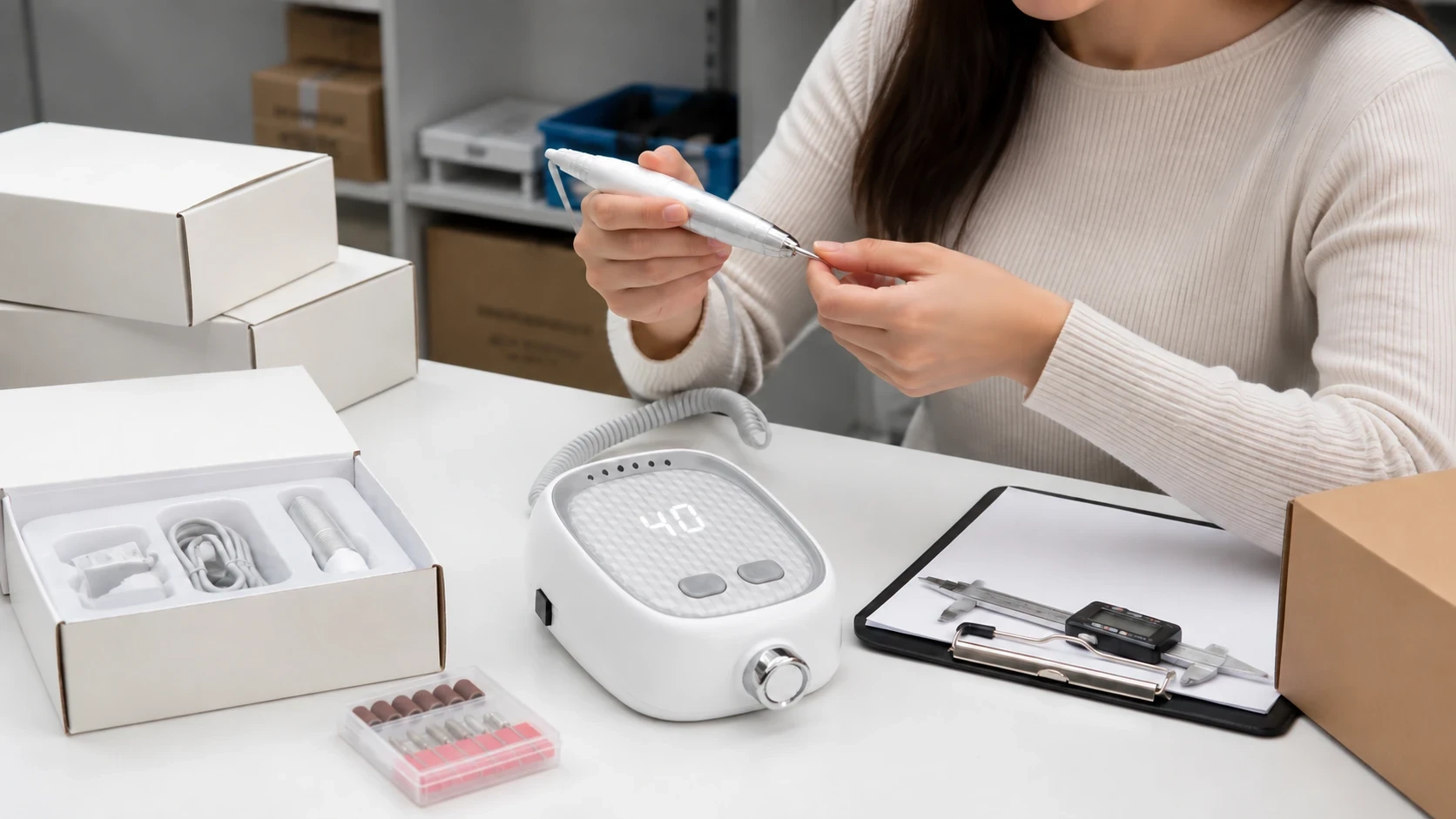
Product configuration and sample inspection for a private-label program
Quick Selection Guide
| Buyer requirement | Format to evaluate first | Power question | Model starting point |
|---|---|---|---|
| Fixed salon or training station | Desktop/controller | Will the unit remain connected at a dedicated workstation? | JMD-417 |
| Equipment that moves between stations or service locations | Portable controller | Is rechargeable operation required, and is an electrical-power option also needed? | JMD-219 |
| Compact integrated product format | Pen-style | Is the pen corded or rechargeable, and what charging equipment is included? | JMD-115 |
| Multi-segment distributor or private-label range | Combination of formats | Which power arrangement fits each customer segment and destination market? | Compare all three starting points |
This guide narrows the format and configuration; it does not replace the current product specification. Once a shortlist is formed, verify the actual motor, controls, power input, plug, dimensions, included parts, and service terms for the version being quoted.
What to Include in a Supplier Brief
A concise requirement sheet helps the supplier recommend a relevant configuration without forcing the buyer to select a model from labels alone. Include:
- Primary market and work setting
- Preferred format, or permission to compare formats
- Corded, rechargeable, or battery-and-electrical requirement
- Destination country and plug requirement
- Intended workload and service setting
- Required manuals and documentation language
- Expected quantity and sample requirement
- Logo, color, label, manual, and packaging scope
- Accessories or package contents that must be quoted separately
Key Takeaways
Start with the way the machine will actually be used. Choose a desktop format when a stable workstation and clearly positioned controls matter more than mobility. Choose a portable controller when the equipment must move but a separate handpiece and controller are still preferred. Choose a pen-style format when compact storage and an integrated body are the priorities.
Next, match the power arrangement to outlet access and charging routines. Treat the motor label as a maintenance and specification question rather than a shortcut to overall quality. Within the current range, JMD-417 is the fixed-workstation evaluation point, JMD-219 is the portable rechargeable-controller starting point, and JMD-115 is the compact pen-style starting point. Before selecting a quoted version, confirm its power input, plug, motor construction, included parts, service terms, and currently available documentation.
Turn the shortlist into a sourcing brief. Share the work setting, preferred format, power arrangement, destination market, expected quantity, and branding requirements with Jimdoa. Review the available OEM/ODM customization options, then use the contact page to ask which model information, sample options, and customization details are currently available for the project.