
Professional Nail Drill Kit Specifications: What to Request Before a Bulk Order
A buyer checklist for defining nail drill kit specifications, sample approvals, packaging, documents, and changes before bulk orders.
A bulk order becomes difficult to compare when the request says only “professional nail drill kit.” That phrase may describe a base machine, a bundle with accessories, or a private-label package with its own artwork and documents. Before asking for a quotation, turn it into one specification pack that defines the product, the included items, the sample reference, and the details that must be confirmed before release.
The purpose is not to assume that every supplier includes the same items. It is to make the requested configuration clear enough that the quotation, sample, and bulk order can be checked against the same record.
Define the Base Model, Version, and Intended Market
Start with the machine, not the bundle. Identify the base model and the version that fit the intended product line, work setting, target market, and sales channel. The professional nail drill options page can help a buyer narrow the product range before creating the request.
Record the model name, visible configuration or version label, target market, intended channel, and request date in one place. If a family has more than one power, plug, color, control, or packaging option, ask the supplier to state which version the quotation covers. A family name alone does not make two quotations comparable.
It also helps to separate what is already decided from what is still open. A buyer may know the target market and retail channel but still need to choose a plug version, retail presentation, or accessory mix. Marking those questions as open makes a quotation more useful than a request that hides unresolved choices inside a broad product description.
Build the Kit Scope and Included-Item List
Define the kit by separating its parts instead of relying on a general bundle label:
| Group | What to record | Buyer action |
|---|---|---|
| Base configuration | Machine and handpiece, if applicable | Name the model and version. |
| Included accessories | Items specifically listed with that configuration | Request the included-item list in writing. |
| Consumables | Items used up or replenished | Mark whether they are included, separately quoted, or buyer-supplied. |
| Optional spares | Replacement or additional items outside the standard scope | Request the applicable item reference and ordering path. |
This is a request framework, not a universal bill of materials. Do not assume that a bit, sanding band, power accessory, or spare appears with every model because it appears in another kit or retail listing.
For each line, give the buyer a simple status: required, optional, excluded, buyer-supplied, or pending confirmation. That status is more helpful than a long accessory list because it shows the supplier what must be quoted and what should remain outside the base price. It also gives the buyer a clear comparison point when two suppliers describe visually similar kits differently.
Request the Model-Specific Specification Pack
Ask for a specification pack that identifies the exact model and version under discussion. It should keep the product fields that matter to the order together with the included-item list, product identifiers, and any packaging or document references that need review.
If a technical field matters to your target channel or intended service, ask for the value for the exact version, its unit, and the condition or method used to state it. This may include the listed control range, power or charging configuration, handpiece and accessory interface, and other performance information proposed for comparison.
The request should distinguish a catalogue value from a test result, a design feature, or a buyer acceptance requirement. Do not borrow a figure from a similar model or turn an unverified number into a product promise. The goal is traceability: later, the buyer should be able to identify the configuration and information used for comparison.
Keep the specification pack separate from the commercial quotation. The specification answers what is being compared; the quotation answers the commercial terms for that defined configuration. This distinction helps prevent a price comparison from silently combining different versions, different accessory lists, or different packaging assumptions.
Approve the Sample Against That Same Pack
A sample is most useful when it represents the same named configuration as the specification pack. Record the model, version, included-item list, packaging state, and any artwork or labeling details that form part of the request. Keep the related specification sheet and file list with the approval record.
If the bulk order will use a different version, packaging, or accessory list, record it as a change rather than assuming the sample covers it. The buyer does not need to promise an outcome in the request. The key is to state what the sample represents and what still requires confirmation before release.
An approval record should be specific enough that another person can understand it later. Identify the sample reference, the current specification-pack version, the approval date, the reviewer, and any conditions still open. Avoid a vague approval such as “looks good” when packaging, documents, or included items have not yet been decided.
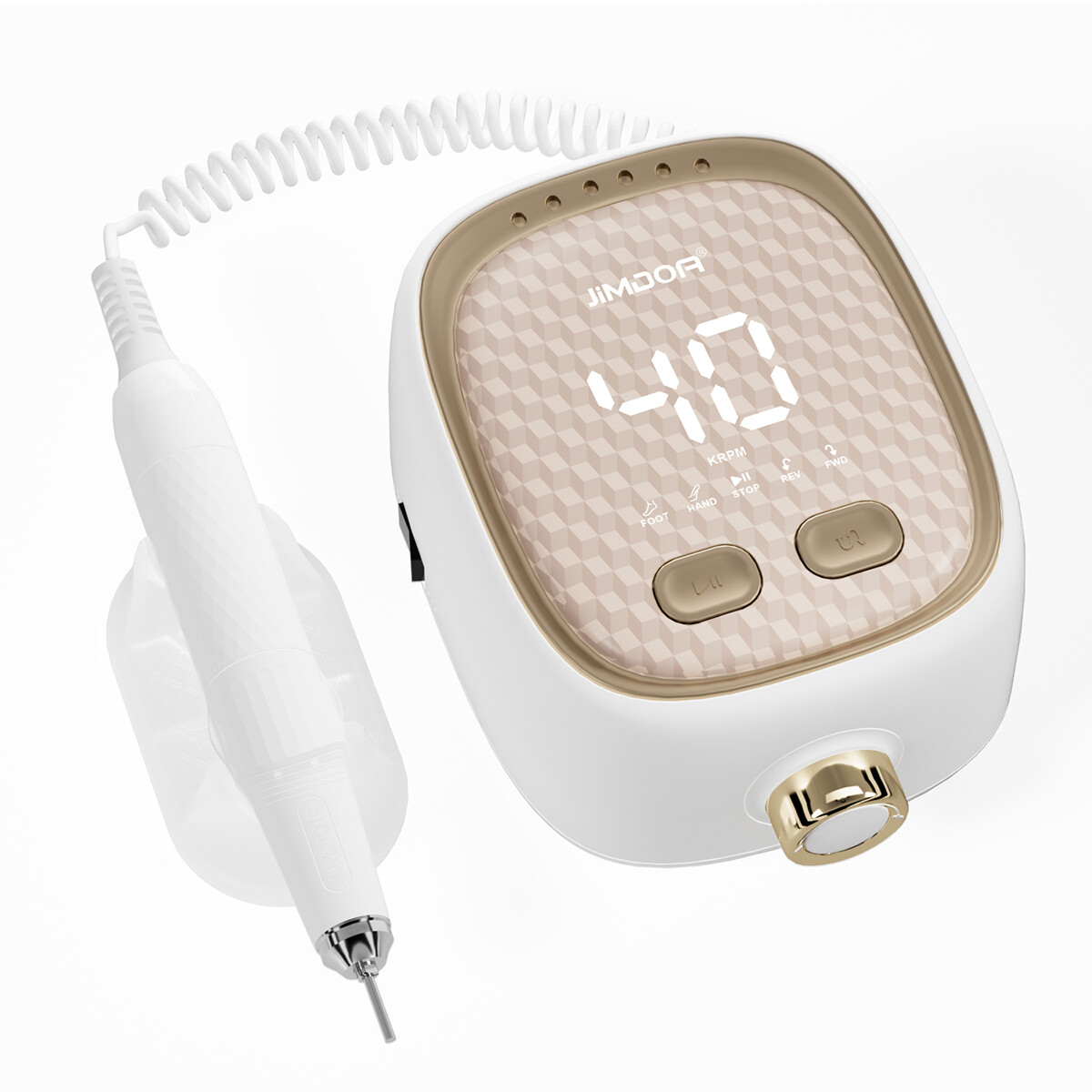
View professional nail drill options
Request a Specification-Pack Review Before Quoting
Share the target model, market, approximate order scope, and packaging requirements before requesting a quote. Jimdoa can then discuss OEM and ODM customization and confirm which information is available for the configuration you want to evaluate.
Confirm Packaging, Labels, and Required Documents
Add packaging, labeling, and document needs to the same pack early. Your request can state the intended package format, logo or artwork status, label text to be reviewed, instruction-language needs, barcode needs, and channel-specific presentation requirements. Mark each item as confirmed, pending, buyer-supplied, or not required.
Start document requests from the target market and sales channel. Ask your importer, marketplace, distributor, or internal compliance team which information requires review, then ask the supplier which current files correspond to the exact model and version. A document name alone does not establish that a model is suitable for a market, or that a file remains current after a configuration change.
Keep the document reference, version or issue date when supplied, related model/version, and review owner in the pack. When a requirement is unclear, obtain appropriate specialist or market guidance instead of treating a supplier file as a legal conclusion.
Assigning an owner matters because product, packaging, and market questions may be reviewed by different people. The buyer can own the market and channel requirements, while the supplier identifies the current files and product information available for the proposed version. A clear owner prevents a pending file from being mistaken for an approved requirement.
Record Changes Before the Bulk Order Is Released
Before release, compare the approved sample and specification pack with the bulk-order request. Record changes to the model, version, included items, packaging, labels, documents, or artwork. For each change, note who raised it, what needs re-approval, and whether the buyer accepts the revised configuration.
This can be a simple change log. Its value is the ability to see that a detail changed before it becomes an unexpected difference in the delivered order.
Use one row per change, with the previous detail, revised detail, date, owner, and approval status. If the change affects an approved sample, state whether a new physical sample, packaging proof, document review, or written confirmation is needed. The point is to make the release decision visible, not to reproduce a factory quality system.
Pre-Order Checklist and Copyable Request Format
Use this one-page format when preparing an RFQ or sending a first specification request. It makes open questions visible without pretending that every item is already agreed.
| Request field | What the buyer should provide or ask for |
|---|---|
| Project | Target market, sales channel, approximate order scope, and buyer contact |
| Base configuration | Model, version, intended use, and any power or plug requirement to confirm |
| Kit scope | Included items, exclusions, consumables, and optional spares, each marked required, optional, excluded, buyer-supplied, or pending |
| Comparison information | Model-specific fields that matter to the order, including the stated unit and test or measurement context where relevant |
| Sample approval | Sample reference, specification-pack version, reviewer, date, and unresolved conditions |
| Packaging and documents | Artwork, labels, instructions, barcode, and files required for the target market or channel, with an owner for review |
| Change control | Any difference from the approved sample or quotation, the decision needed, and the re-approval status |
This is the point at which the article becomes useful in a real purchasing conversation: copy the fields into an RFQ, attach the reference files you already have, and mark missing information as pending rather than filling gaps with assumptions.
If you still need to compare the machine itself, use the nail drill machine buying guide. If the next question is supplier or private-label verification, continue with the private-label nail drill supplier checklist.
A professional nail drill kit is easier to buy in bulk when it is defined as a controlled configuration, not a broad label. Define the kit, request the model-level information, approve the corresponding sample, confirm files and packaging, and record changes before release.
Build Your Nail Drill Specification Pack
Send Jimdoa your target model, target market, approximate order scope, and packaging needs. We can discuss your OEM and ODM requirements and help confirm the available information for the configuration you want to evaluate. You can also share your nail drill kit requirements to start the conversation.